The schedule is out 🗓️ for POSETTE: An Event for Postgres 2026!

Distributed Scale
Scale Postgres by distributing data & queries. You can start with a single Citus node, then add nodes & rebalance shards when you need to grow.

Simplified Architecture
Reduce your infrastructure headaches by using a single database for both your transactional and analytical workloads.

Open Source
Download and use Citus open source for free. You can manage Citus yourself, embrace open source, and help us improve Citus via GitHub.

Not a Fork
As a Postgres extension, it’s easy to keep Citus in sync with the latest Postgres releases & stay current with all its latest innovations.
Citus = Postgres At Any Scale
The Citus database gives you the superpower of distributed tables. Because Citus is an open source extension to Postgres, you can leverage the Postgres features, tooling, and ecosystem you love. And thanks to schema-based sharding you can onboard existing apps with minimal changes and support entirely new workloads like microservices. With Citus, you can scale from a single node to a distributed cluster, giving you all the greatness of Postgres—at any scale.
CAPABILITIES TABLE
Applications That Love Citus
- MULTI-TENANT SAAS
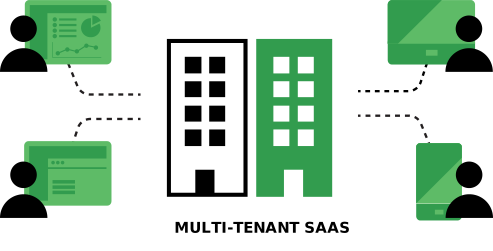
SaaS apps often have a natural dimension on which to distribute data across nodes—dimensions such as tenant, customer, or account_id. Which means SaaS apps have a data model that is a good fit for a distributed database like Citus: just shard by tenant_id—and for cases with no natural distribution key, you can use schema-based sharding.
Features for Multi-tenant SaaS applications
- Transparent sharding in the database layer
- SQL query & transaction routing
- Easy to add nodes & rebalance shards
- Able to scale out without giving up Postgres
- REAL-TIME ANALYTICS
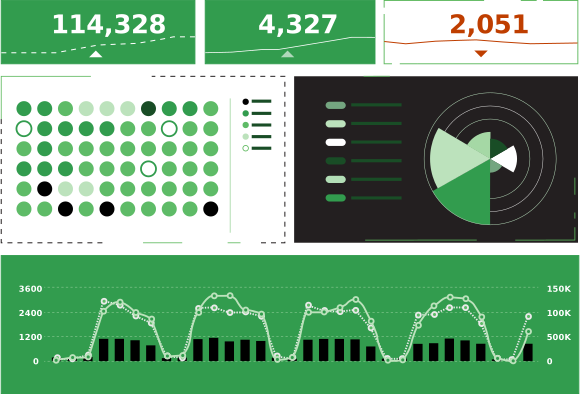
Customer-facing real-time analytics dashboards need to deliver sub-second query responses to 1000s of concurrent users, while simultaneously ingesting fresh data and enabling users to query the fresh data in real time, too.
By scaling out Postgres across multiple nodes, Citus gives your analytics dashboards the compute, memory, and performance they need to process billions of events in real time.
Features for Real-time analytics dashboards
- Ingest event data in
real-time - Low latency for customer-facing dashboards
- Massively parallel UPDATEs/DELETEs
- Ingest event data in
- MICROSERVICES
Citus supports schema-based sharding, which allows distributing regular database schemas across many machines. This sharding methodology fits nicely with typical microservices architecture, where each microservice can have its own schema in a shared distributed database.
Schema-based sharding is an easier model to adopt, create a new schema and just set the search_path in your service and you’re ready to go.
Advantages of using Citus for microservices:
- Ingest strategic business data from microservices into common distributed tables for analytics
- Efficiently use hardware by balancing services on multiple machines
- Isolate noisy services to their own nodes
- Easy to understand sharding model
- Quick adoption